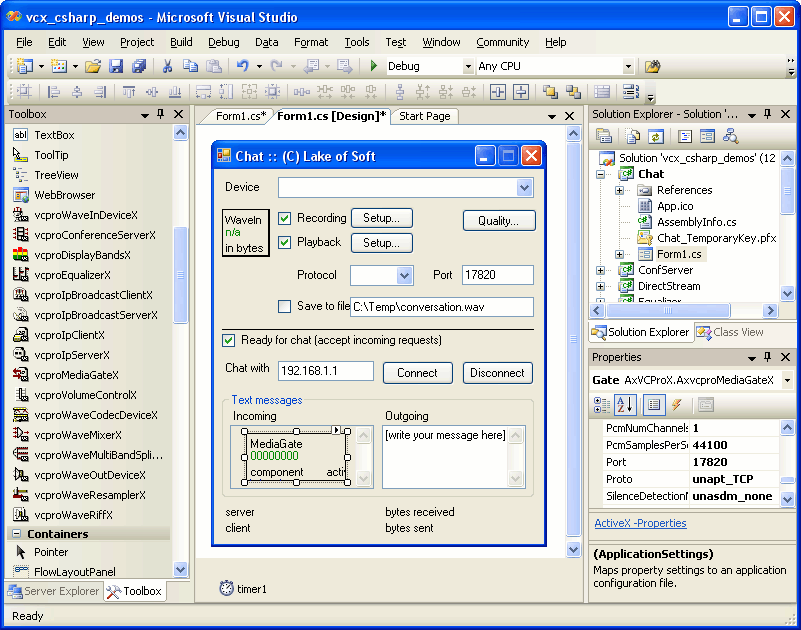
Vibrant Communicator ActiveX (VCX) library is a set of ActiveX controls designed for developers of audio streaming projects, such as voice chat, web chat, multi-streaming and similar applications. VCX library provides real-time, low latency multi-client audio streaming over TCP/IP networks. It includes efficient components for sound recording, playback, encoding, decoding, mixing, resampling, reading and writing wave files, and volume controls access. It also provides TCP/IP server and client components for peer-to-peer, multi-user and broadcasting audio communications.
VCX: audio streaming library. Read article
Key features
- low latency real-time compressed audio streaming over TCP/IP
- peer-to-peer, one-to-many, broadcast and multi-client communications
- record conversation into an audio file
- publish your solutions on the Internet/web
- few lines of code for advanced applications
- no DirectX is required
- all ACM codes support (GSM, ADPCM, MP3, etc.)
- low bandwidth, 33.3 kbps modems compatible
- record, play audio files (wav, mp3), stream them via your network
- easy accessing system mixer and volume controls
- Barix devices support (Exstreamer, Annuncicom)
- silence detection: low CPU and bandwidth usage
- equalizer: adjust frequency volume
- audio stream mixing
- send/receive text messages in addition to audio data
- PCM byte order automatic detection
- flexibility: Lego-similar development process
- extensive VB, VB.NET, C#, C++ samples
Technical details
ACM (Audio Compression Manager) - standard Windows component installed by default on all multimedia computers - is used for audio encoding.
VCX library does not use or require DirectX.
UDP and TCP sockets are supported. Internal custom network protocol is used to transfer audio data.
Broadcast streaming is based on UDP sockets and suitable for LAN applications only.
A bandwidth of about 2 KB/sec is required for typical peer-to-peer voice chat application,
which makes VCX library compatible with most 33.3 kbps modems and Internet lines.
Components
|
WaveIn
Real-time PCM audio stream recording from the sound card or other hardware device.
|
|
WaveOut
Real-time PCM audio stream playback using the sound card or other hardware device.
|
|
WaveCodec
Audio stream conversion from one supported format to another.
|
|
WaveRiff
Reads audio stream from WAV file, producing PCM stream, or creates and writes new WAV file.
|
|
WaveMixer
Mixes two or more PCM audio streams. No ACM codecs are used by this component.
|
|
WaveResampler
PCM audio stream conversion from one format to another. No ACM codecs are used by this component.
|
|
WaveMultiBandSplitter
Splits input audio stream into a number of sub-streams.
|
|
Equalizer
Provides equalization bands with adjustable frequencies.
|
|
IpServer
Initiates listening socket for clients to connect to. Receives and sends audio stream to/from client.
|
|
IpClient
Connects to remote server, sends and receives audio stream over TCP/IP network.
|
|
IpBroadcastServer
Broadcasts audio stream over LAN using the special destination IP address and UDP sockets.
|
|
IpBroadcastClient
Receives audio stream being broadcasted over LAN.
|
|
MediaGate
Acts as both server and client components and useful for chat (voice, text) applications development.
|
|
ConferenceServer
Designed to provide simultaneous multi-user voice and text chat.
|
|
VolumeControl
Provides functions for recording and playback volume manipulations.
|
|
DisplayBands
Displays incoming audio stream as a series of bands (like "Spectrum Analyzer" in Winamp).
|